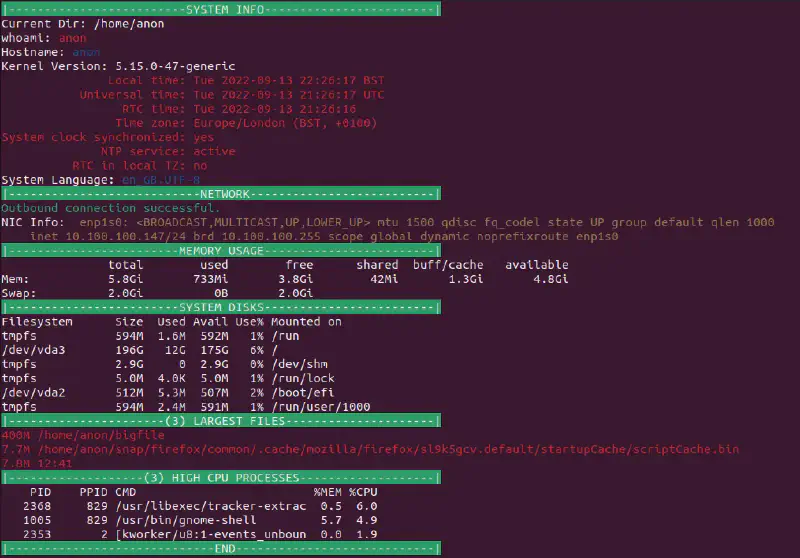
The Script.
At a glance, system information written in a bash shell script.
|
|
Screenshots.
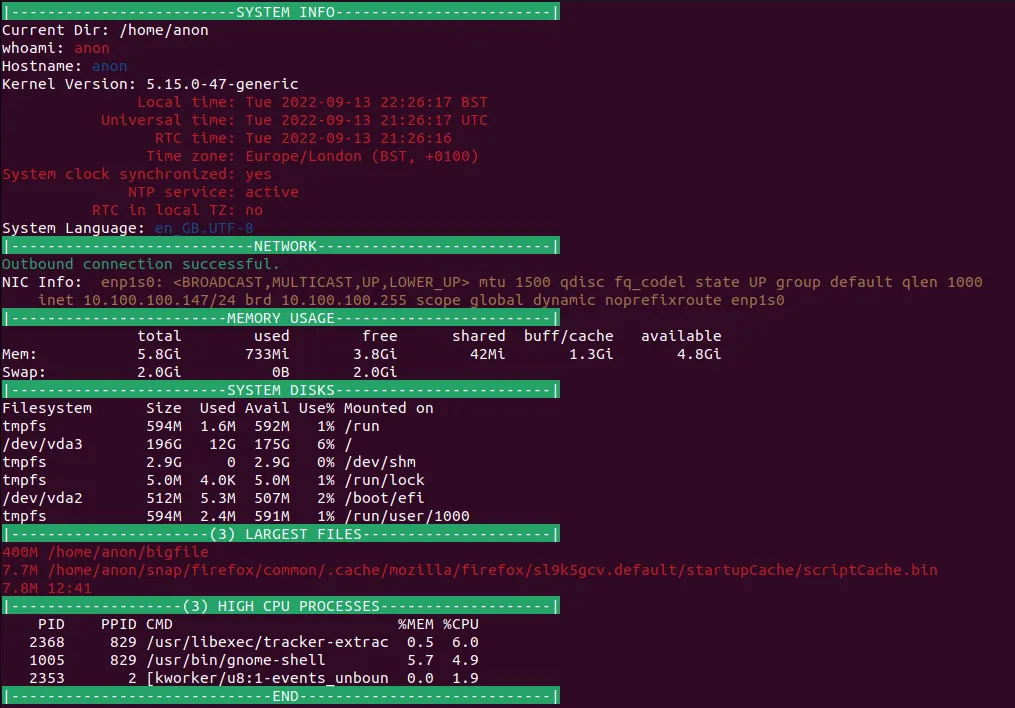
Screenshot of a Linux terminal showing the output of the script.
The why.
|
|
How many times upon accessing a system have the same few commands been run to assess what exactly you’re working with. To help alleviate this issue, the infodump script was born.
The how.
Honestly there’s nothing fancy going on here, using only built-in commands (Ubuntu 22.04.1 used for package reference), the script will run through common commands outputting to the terminal window.
Commands included (in order of appearance):
clearpwdwhoamiuname -nuname -rtimedatectl statusecho $LANGpingip afreedh -hfindps
- misc commands for formatting (
cut,grep,head,sort, andxargs)
FAQ
Why timedatectl?
The original version had in place of timedatectl a ntpdate -q command call to poll pool.ntp.org to independently ascertain the current time according to NTP servers remotely. However, during testing on an Ubuntu 22.04.1 VM, the ntpdate package was not installed 1. To keep the script as “vanilla” as possible, the timedatectl2 command was selected.
The network connectivity test isn’t very comprehensive, you know…
ping is a great network diagnostic tool but falls at many hurdles (ICMP packet rejection, bad routes, no remote connectivity etc) because of this typically if there is an issue with remote connectivity on a node then a ping failure indicates there is an issue which prompts a technician to delve deeper into the issue.
All that the network connectivity test in this script is doing is ascertaining at a glance whether remote connections can be made, the rest is up to whomever is using the script, in this sense the data is presented how it is. Presumptions/conclusions about the data is down to the context in which the script is used.
Why free?
The core of the script is “at a glance system info” free does this well, displaying combined system memory with basic usage.
The script hangs
This is down to the find command searching the home directory of the system. Depending on the number of files and the speed of the block device being accessed, this could take a few seconds to a few minutes, worth it in my opinion to see any particularly egregious files within the /home directory.
Why /home and not /?
If the script hanging for a few seconds to a minute scanning the home directory rustles your jimmies, scanning the entire drive would only serve to exasperate the issue3.
Conclusion.
Only briefly touching my toes to the sea of Shell Scripting, it is already clear the immense power that could be wielded. Repeated tasks and systems maintenance (given time) could be written into Shell Scripts, solving much more time later on.
An incredibly useful tool to have in one’s tool belt for thinking sand. Watch this space for future scripts and other projects.
-
For posterity according to the Ubuntu Package Repository the
ntpdatepackage has been flagged as deprecated since focal (20.04LTS) with thentpsec-ntpdatepackage being the more current. ↩︎ -
An argument could be made that using the
timedatectlcommand is not the most “vanilla” offering due to only being available on systems using thesystemdservice manager, however due tosystemd’s prevalence in modern Linux Operating Systems the inclusion seems justified. ↩︎ -
A case could be made for the longer scan as an excuse to make a cup of coffee (Same energy). ↩︎